Alibaba’s Wan AI series is a new video generation tool that grabbed a ton of attention from the start. Users worldwide jumped in to test its limits, especially one big question: Can it create AI videos?
After more than 12 hours of testing across versions 2.1 to 2.5—and dozens of tries—I found a few solid ways to make it work. In this post, I’ll share each method, explain how to do it, and rate the results. Let’s jump in!
What methods can create NSFW Wan AI Videos?
As an open-source model, Wan AI inevitably picked up some NSFW videos during training.
You can’t fully scrub that data out, so bits of it stick around in the model.
Whether you’re using text-to-video or image-to-video, craft your prompts or uploads just right, you can generate AI videos.
I’ve tested these across versions 2.1 to 2.5, and here’s a breakdown of the methods that work. I’ll rate if they succeed, and explain why.
| Method | Can Generate AI Videos? | Reason |
| Direct use on official site or API | ❌ No | Official filters review your input images/text and output videos, blocking NSFW stuff. |
| Download Wan AI to local PC (with ComfyUI) | ✅ Partial—some content works, but specifics are limited | Running locally lets you tap into leftover NSFW data in the model, but the styles and variety are pretty basic. |
| Use ComfyUI Cloud for Wan AI | ✅ Partial—same limits as local | It’s cloud-based, so no adding LoRAs, which means you can’t create complex NSFW scenes. |
| Local Wan AI model + LoRAs | ✅ Yes—full variety of NSFW AI videos | LoRAs plug the gaps in the base model, letting you generate all sorts of custom scenes. |
| NSFW Wan third-party sites | ✅ Fully—complex scenes no problem | These sites run fine-tuned versions of Wan AI, optimized for detailed NSFW generation. |
| Alternatives to Wan model | ✅ Fully—similar to Wan effects | Some custom models are built and trained to mimic Wan AI, delivering close results without the restrictions. |
(1) Using Wan’s official website and calling the API
If users want to use the Wan AI series models, they can directly visit and log in at https://wan.video/.
The official site requires registration and only provides a limited amount of free credits for users.
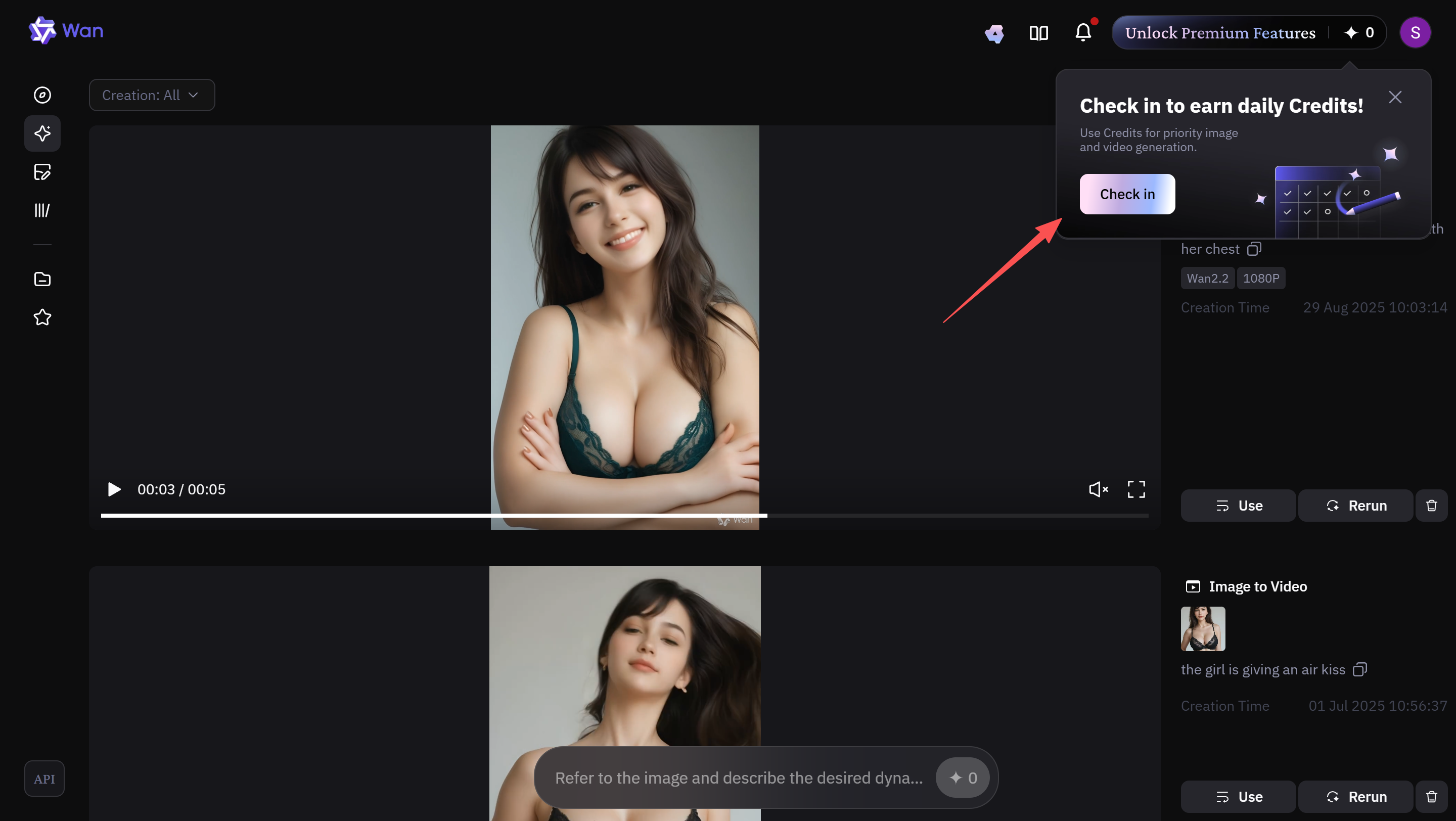
When generating videos, credits are usually consumed automatically to speed up the process.
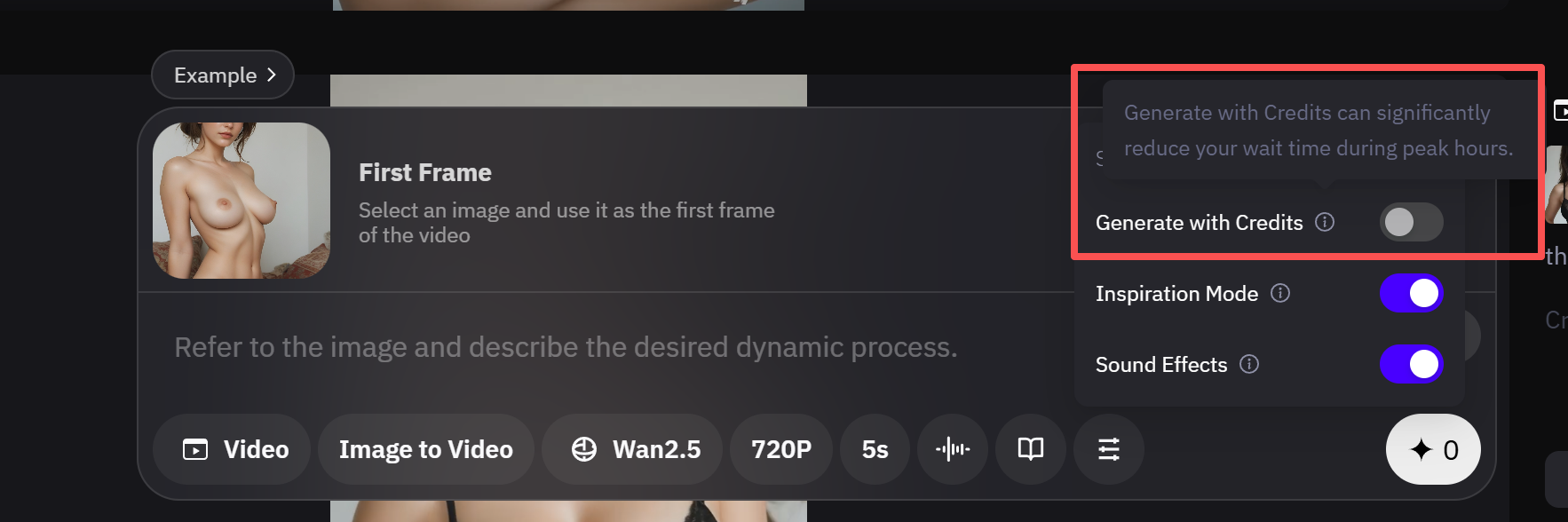
Users can also choose not to spend credits, but in that case, the generation speed will be extremely slow.
The key issue is that whenever you input NSFW content—whether text-to-video or image-to-video—such as images containing nudity or sensitive body parts, the platform will automatically detect and reject your request.
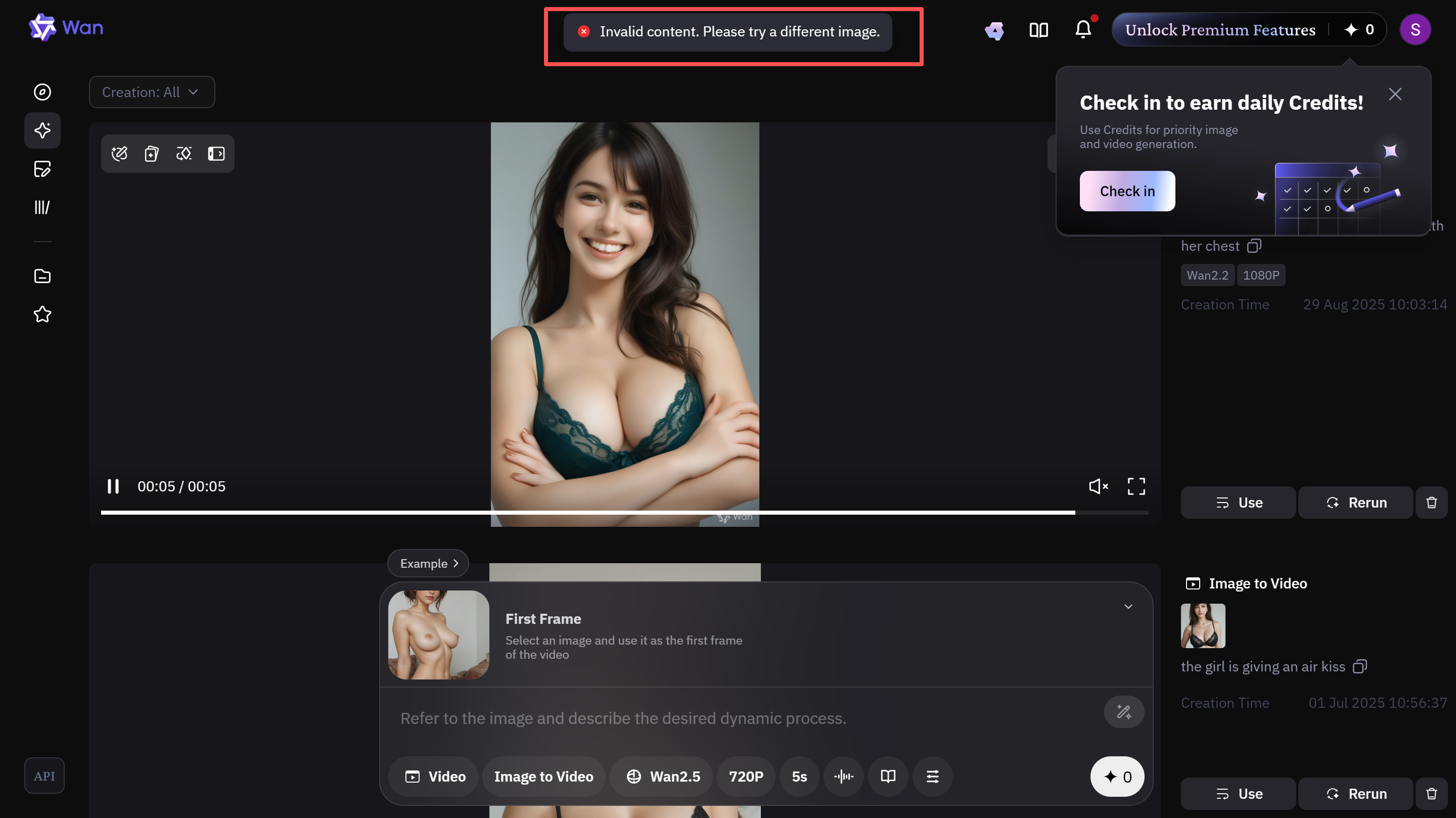
I believe the main reason is that generated videos are made public afterward, so the official site enforces such restrictions.
Based on my tests, the official Wan AI platform only allows uploading some sexy images to generate videos, as shown below:
The site cannot generate NSFW AI videos at all, even through the API, since the website itself essentially just calls the API.

Features of Wan AI Official Website and API
NSFW AI Videos (3/10)
Because generated videos are made public, Wan AI enforces strict moderation. Any content involving nudity cannot be generated, and deeper AI content is even harder to produce. You can only use it for creating sexy-style videos.
Convenience (8/10)
No need to download models, no hardware requirements for your computer, just direct access. Since it’s the official site, you can experience the full Wan AI video generation.
Pricing (7/10)
Generating videos itself doesn’t cost credits, but you need to queue. Daily logins provide free credits that let you skip the waiting line.
(2) Downloading Wan AI Series Models Locally via ComfyUI
Since the models are deployed on a local computer or server without calling a public API, the Wan AI official website does not review or moderate the generations. Users can therefore experience the full Wan AI models.
It is recommended to download ComfyUI for installation:
ComfyUI is a node-based graphical user interface (GUI) that allows users to build flexible image/video generation workflows through visual node connections. It supports efficient AI art creation and plugin extensions.
However, before downloading Wan AI, you need to understand the hardware requirements of the Wan models.
| Model Name | Parameter Size | Task Type | VRAM Requirement (Minimum/Recommended) | RAM Requirement (Recommended) | Resolution Support | Generation Example (5s Video, RTX 4090) | Recommended GPU Examples |
|---|---|---|---|---|---|---|---|
| Wan 2.1 T2V-1.3B | 1.3B | T2V | 8.19GB / 12-16GB | 16-32GB | 480p | ~4 minutes | RTX 3060 (12GB) |
| Wan 2.1 I2V-14B | 14B | I2V | 24-48GB / 48GB+ | 32-64GB | 480p | ~4-6 minutes (multi-GPU) | RTX 4090, A100 (40GB) |
| Wan 2.1 VACE-1.3B | 1.3B | Video Compression/Editing | 19GB / 24GB | 32GB | 480p | ~5 minutes | RTX 4090 |
| Wan 2.2 TI2V-5B | 5B | T2V + I2V | 8GB / 18GB | 32-64GB | 720p | ~9 minutes | RTX 3090/4090 (quantized version down to 12GB) |
| Wan 2.2 T2V-A14B | 14B | T2V (Advanced) | 24GB+ / 40GB+ | 64GB+ | 720p | 2-3 minutes (8x GPU) | A100 (multi-card), RTX 5090 |
| Wan 2.5 TI2V-5B | 5B | T2V + I2V + Audio | 8GB / 16-24GB | 32-96GB | 720p (with audio) | ~8-10 minutes | RTX 4090 (supports 8GB quantized) |
| Wan 2.5 T2V-14B | 14B | T2V (Professional) | 24GB / 48GB+ | 64-128GB | 720p+ | ~5-7 minutes (optimized) | A100/H100, RTX 5090 |
You can visit this site for installation instructions: https://www.comfy.org/download.

Currently, there are many tutorials online teaching how to configure ComfyUI nodes, including downloading the model (MODEL/UNet), the variational autoencoder (VAE), the text encoder (CLIP), and more. This process can be quite complicated.
In reality, if you only want to use Wan AI models, ComfyUI already integrates all the necessary nodes. Users simply need to select the preset templates and workflows.
Once inside the ComfyUI interface, click the logo in the top-left corner to open the options menu, then select browse templates.
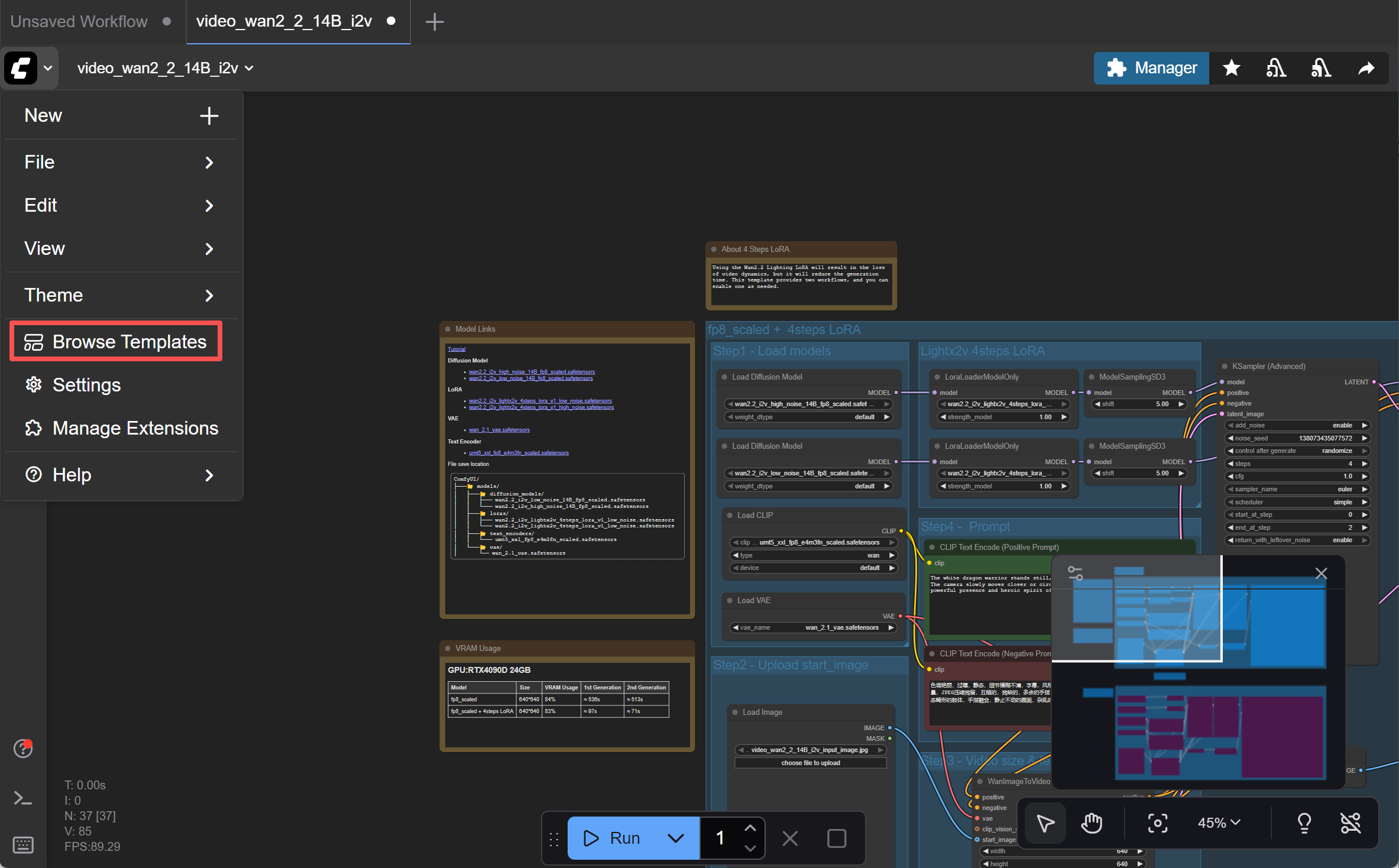
In the templates interface, search for “Wan” in the search bar to find various Wan AI models and workflows.
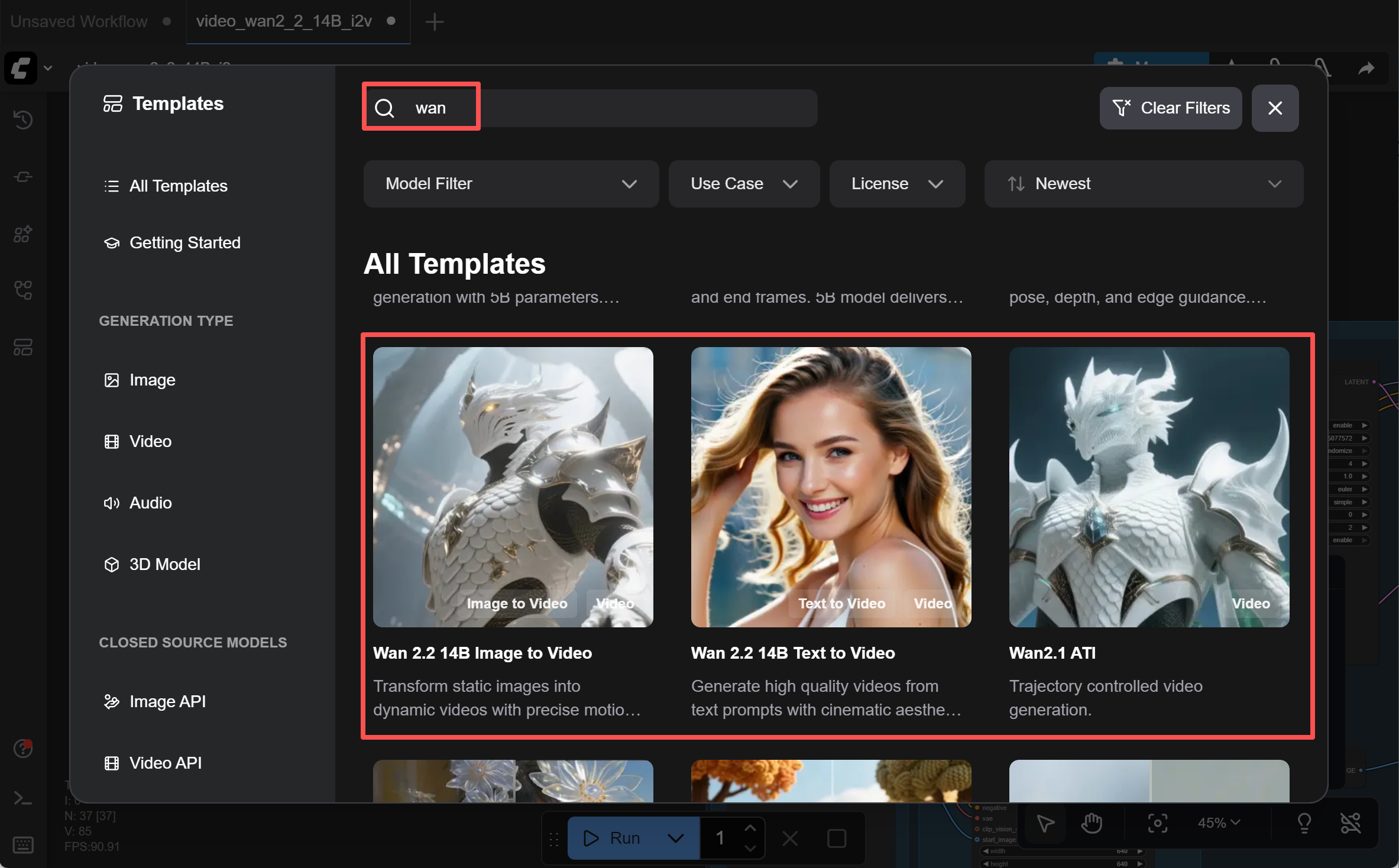
After clicking, ComfyUI will automatically detect which nodes need to be installed. Just follow the table prompts to install them.
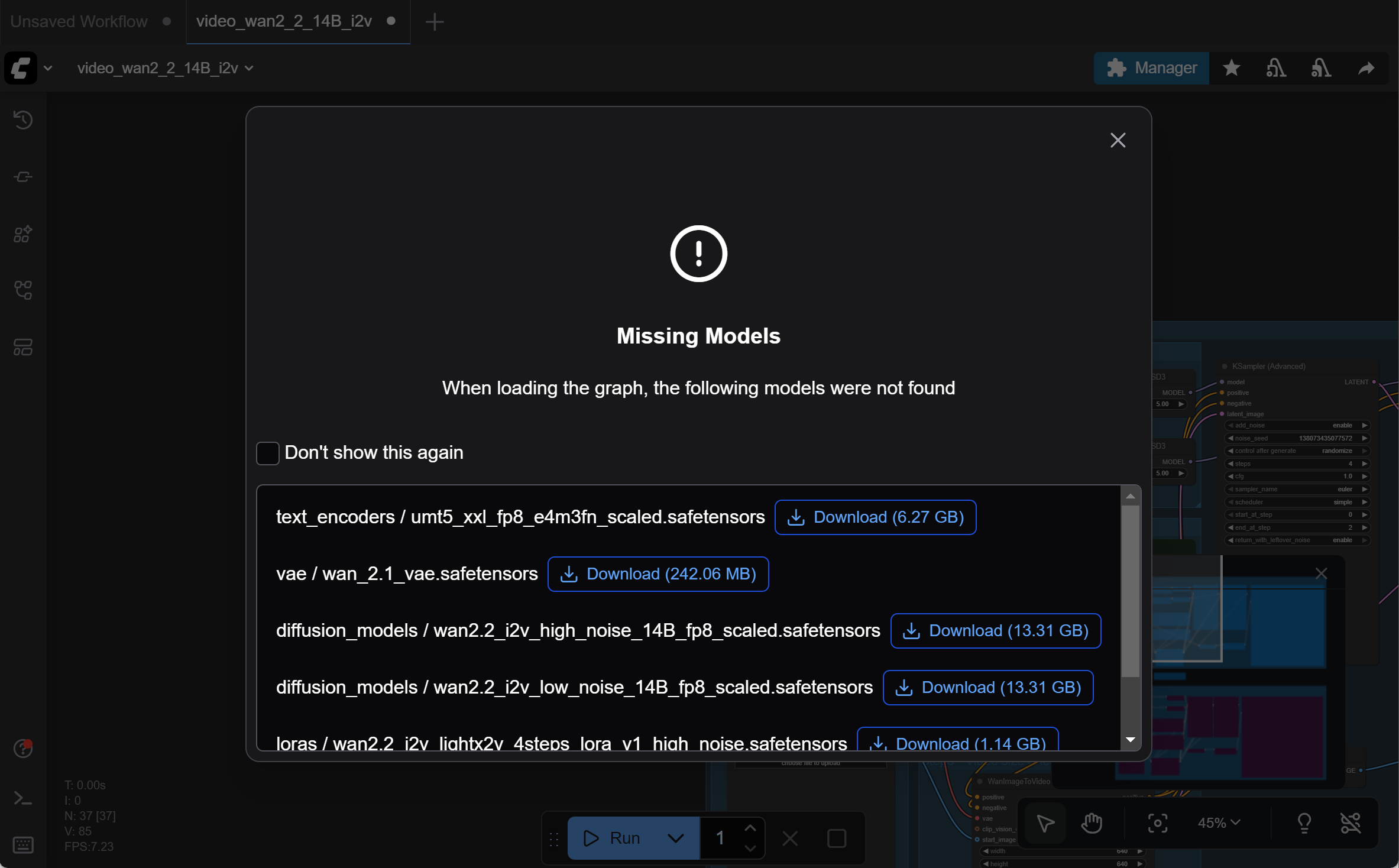
Once completed, you can generate videos according to the workflow instructions.
Follow the instructions in Step 1, Step 2, and Step 3 to configure each section. Then click Run in the top-right corner and wait a moment for your NSFW AI video to be generated. (For light users who don’t use LoRA, you can simply configure Step 2, Step 3, and Step 4 directly.)
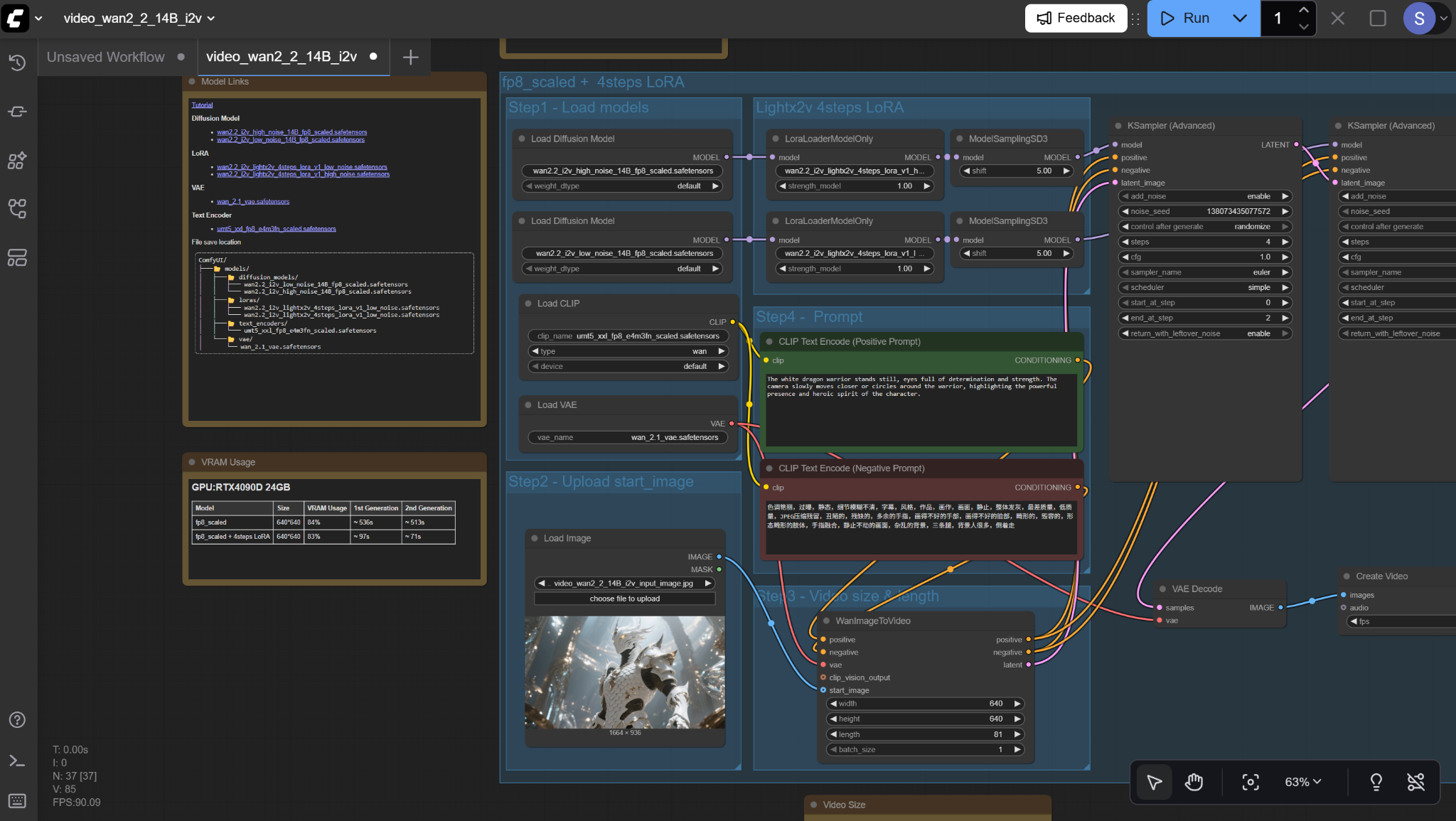
Features of Wan AI on ComfyUI
NSFW Wan AI Videos (8/10)

The Wan AI models were not specifically trained on NSFW content.
Users can only generate some basic NSFW visuals from residual data. After hours of testing across different Wan AI models, I found:
Running Wan AI locally can support simple NSFW content, such as animated nude images or “take off bra and show the breasts.”

However, prompt-following is often imprecise, requiring multiple attempts.
If the input image already contains NSFW elements (e.g., a person wearing very little), the model can extend those elements into short videos reasonably well.
But if you rely solely on text prompts to generate detailed anatomy from scratch—especially female bodies—the results are often poor: distorted proportions, blurred key areas, and unreliable overall quality.
Summarizing feedback:
Light NSFW (bikinis, lingerie, suggestive poses, silhouettes, environmental hints) works fine.
Moderate NSFW (partially obscured nudity, dimly lit erotic atmosphere) sometimes works, but often appears blurred or stylized.
Heavy NSFW (explicit sex acts, close-up nudity) is highly unstable, frequently blurred, over-lit, or blocked entirely by safety modules.
Convenience (6/10)
Installing Wan AI via ComfyUI requires high computer specs. Even with preset templates, the installation process is not particularly user-friendly.
Pricing (10/10)
Once you successfully download and install Wan AI locally, using the models is completely free.
(3) ComfyUI Cloud — An Alternative for Creating Wan AI Videos
If you don’t have a powerful computer to install ComfyUI and download the Wan AI models locally, you can try ComfyUI Cloud.
ComfyUI Cloud is the online version of ComfyUI. You don’t need to download ComfyUI or the Wan AI models; you can use it directly online.
Although it runs online—similar to the official website or calling the API—in reality, ComfyUI Cloud models are still considered deployed on personal servers (just running through cloud services).
Therefore, like the local version of ComfyUI, it can also generate NSFW AI videos.
Simply visit this site: https://www.comfy.org/cloud.
Once on the page, click launch comfy cloud to enter the interface.
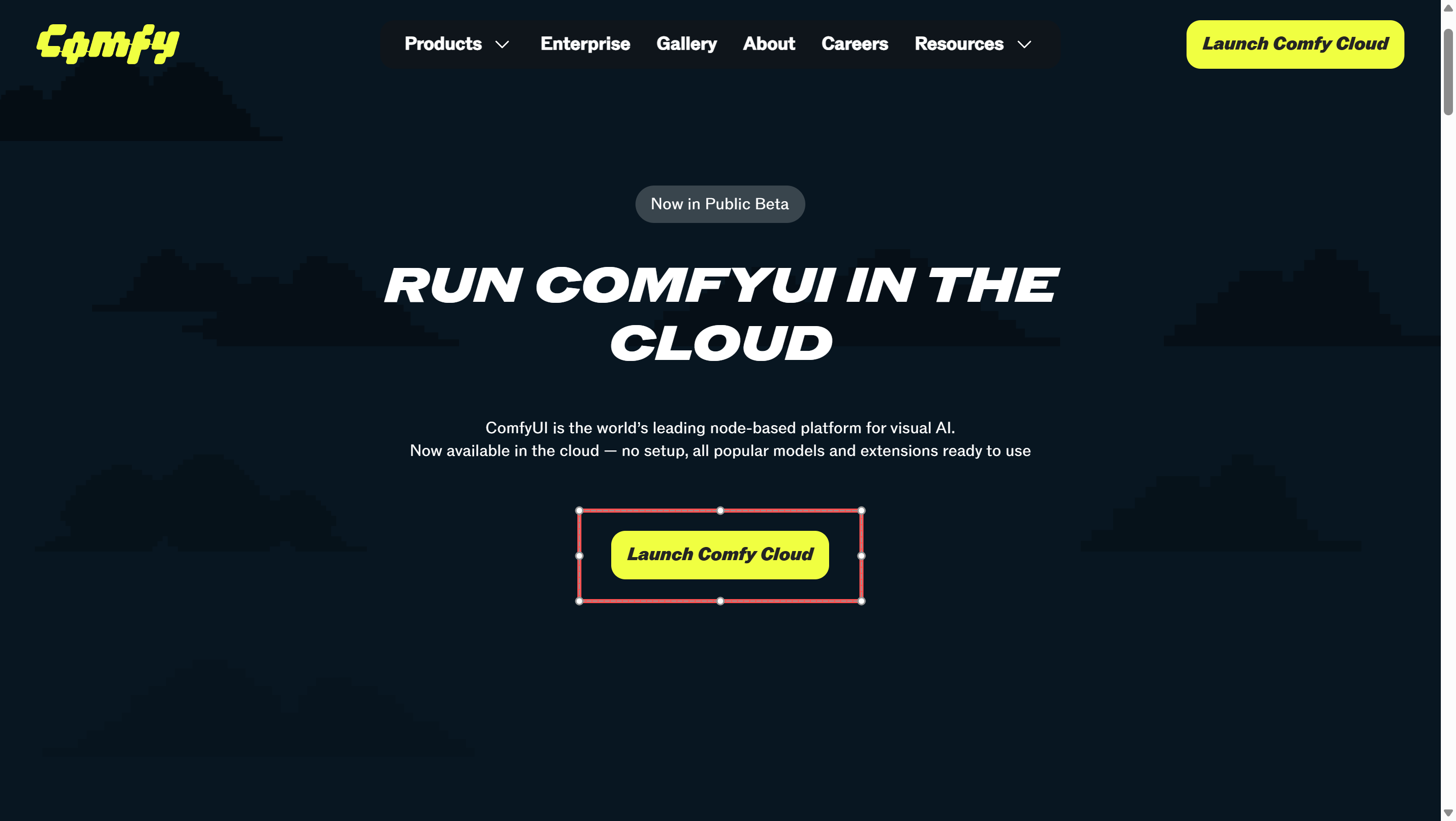
Then just register/log in, and as before, look for templates in the top-left corner. Click to load the workflow.
Features of Wan AI on ComfyUI Cloud
NSFW Wan AI Videos (7/10)

ComfyUI Cloud functions almost the same as the local version, and the video generation results are identical. It can only produce light NSFW videos and cannot generate more advanced NSFW AI content. The main difference is that ComfyUI Cloud does not support installing LoRA, so it cannot generate more complex NSFW AI videos.
Convenience (10/10)
Using ComfyUI Cloud is extremely convenient since you don’t need to worry about hardware requirements or installation.
Pricing (10/10)
Once you successfully access and run Wan AI models through ComfyUI Cloud, using them is completely free.
(4) Using Local ComfyUI with LoRA Installed
If you only use the Wan AI models alone, due to gaps in training data, they can only generate very limited NSFW AI videos.
To produce fully detailed and richer NSFW AI videos, you must use LoRA.
LoRA, short for Low-Rank Adaptation, is a technique for efficiently fine-tuning large AI models.
It works by attaching a lightweight parameter patch to the base model, teaching it new knowledge without retraining the entire model.
LoRA enables Wan to generate NSFW AI videos because it can quickly “inject” adult content generation capabilities using a small amount of NSFW data, compensating for the limitations of the official base models.
Currently, LoRA can only be installed on the local version of ComfyUI; the Cloud version does not support it.
If you want to use LoRA, Civitai (the most comprehensive source) is widely recognized by the community as the hub for Wan 2.2/2.1 NSFW LoRA collections.
It covers everything from general NSFW LoRA to specialized ones for specific actions, poses, clothing, and scenes.
You can visit https://civitai.com/ and search for relevant information in the search bar.
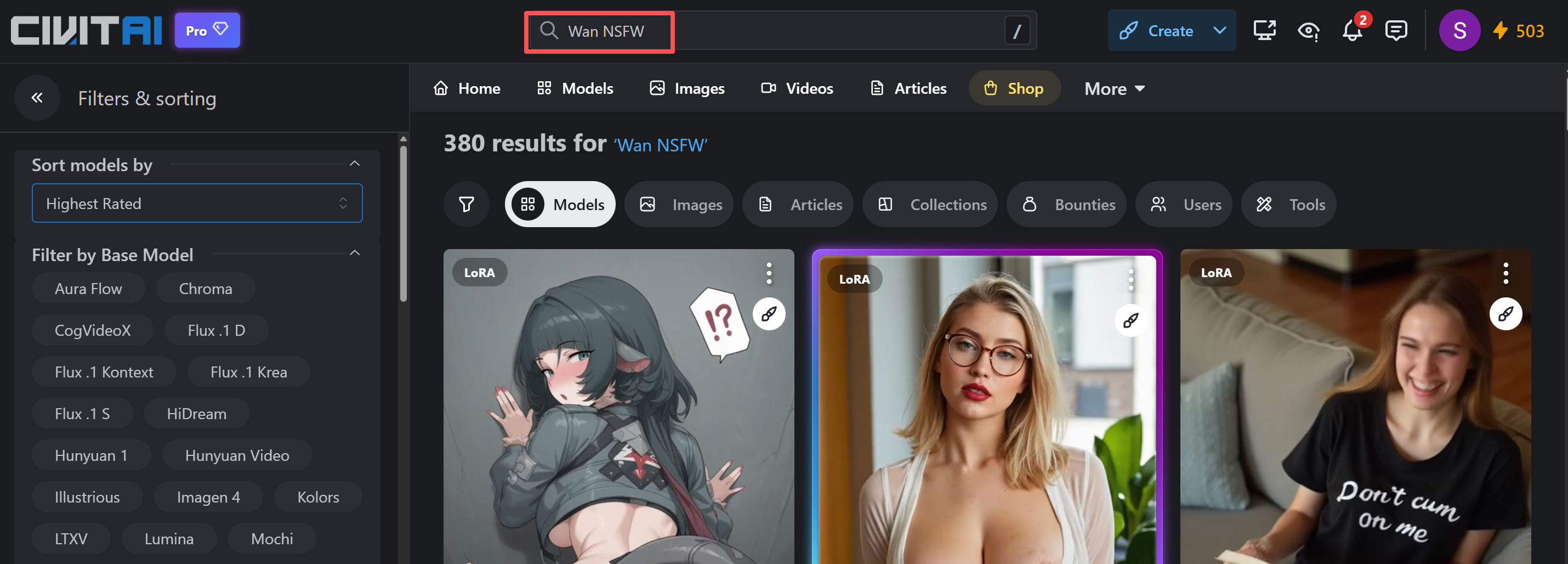
Here is a list of some popular NSFW Wan AI video LoRA models.
| LoRA Name | Downloads | Url |
| WAN General NSFW model | 90,497 | https://civitai.com/models/1307155/wan-22-experimental-wan-general-nsfw-model |
| Wan 2.2/2.1 POV Missionary | 45,776 | https://civitai.com/models/1331682/wan-2221-pov-missionary |
| WAN DR34ML4Y – All-In-One NSFW | 16,503 | https://civitai.com/models/1811313/wan-dr34ml4y-all-in-one-nsfw |
| Bouncing Boobs – Wan 14B | 23,946 | https://civitai.com/models/1343431/bouncing-boobs-wan-14b |
| WAN COWGIRL + REVERSE COWGIRL — T2V & I2V LoRa | 29,892 | https://civitai.com/models/1428098/wan-cowgirl-reverse-cowgirl-t2v-and-i2v-lora |
How to Install LoRA into Local ComfyUI
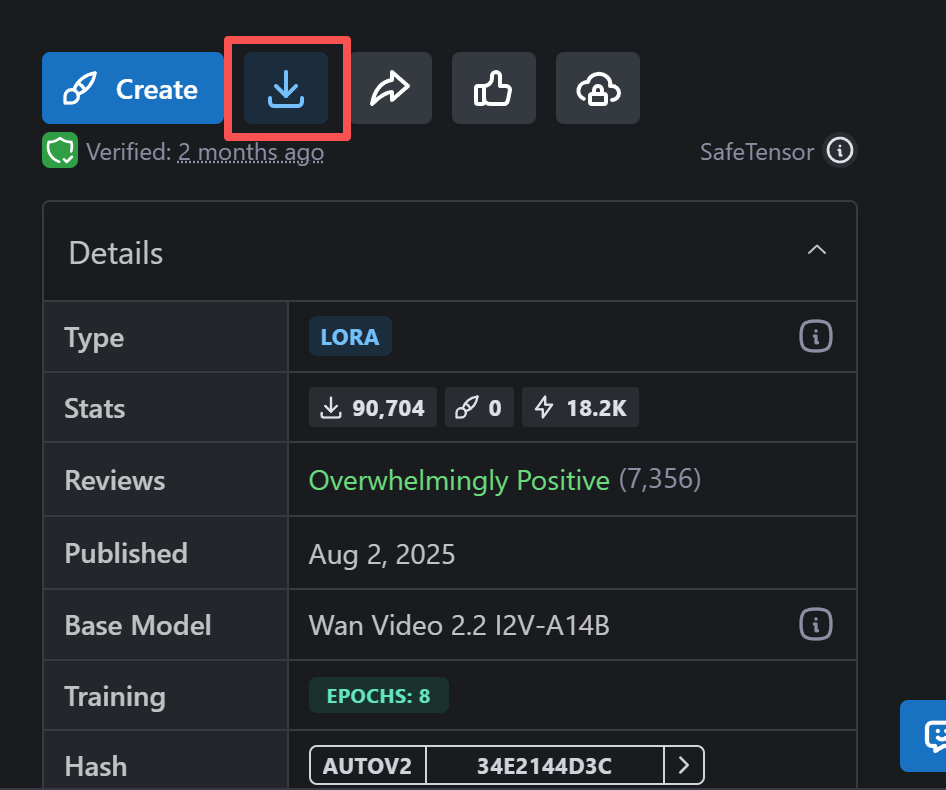
1. Download LoRA Files
- Download the LoRA files you need from platforms such as Civitai or HuggingFace (usually in .safetensors format).
- Place the downloaded LoRA files into the ComfyUI LoRA directory: ComfyUI\models\loras\
- Locate your ComfyUI installation directory (commonly C:\Users\YourUsername\ComfyUI\ or a custom installation path).
- Enter the models folder.
- Find the loras subfolder (create one manually if it doesn’t exist).
- Copy the .safetensors files directly into it.
Tip: After placing the files, you don’t need to restart ComfyUI. It will automatically detect new LoRA files.
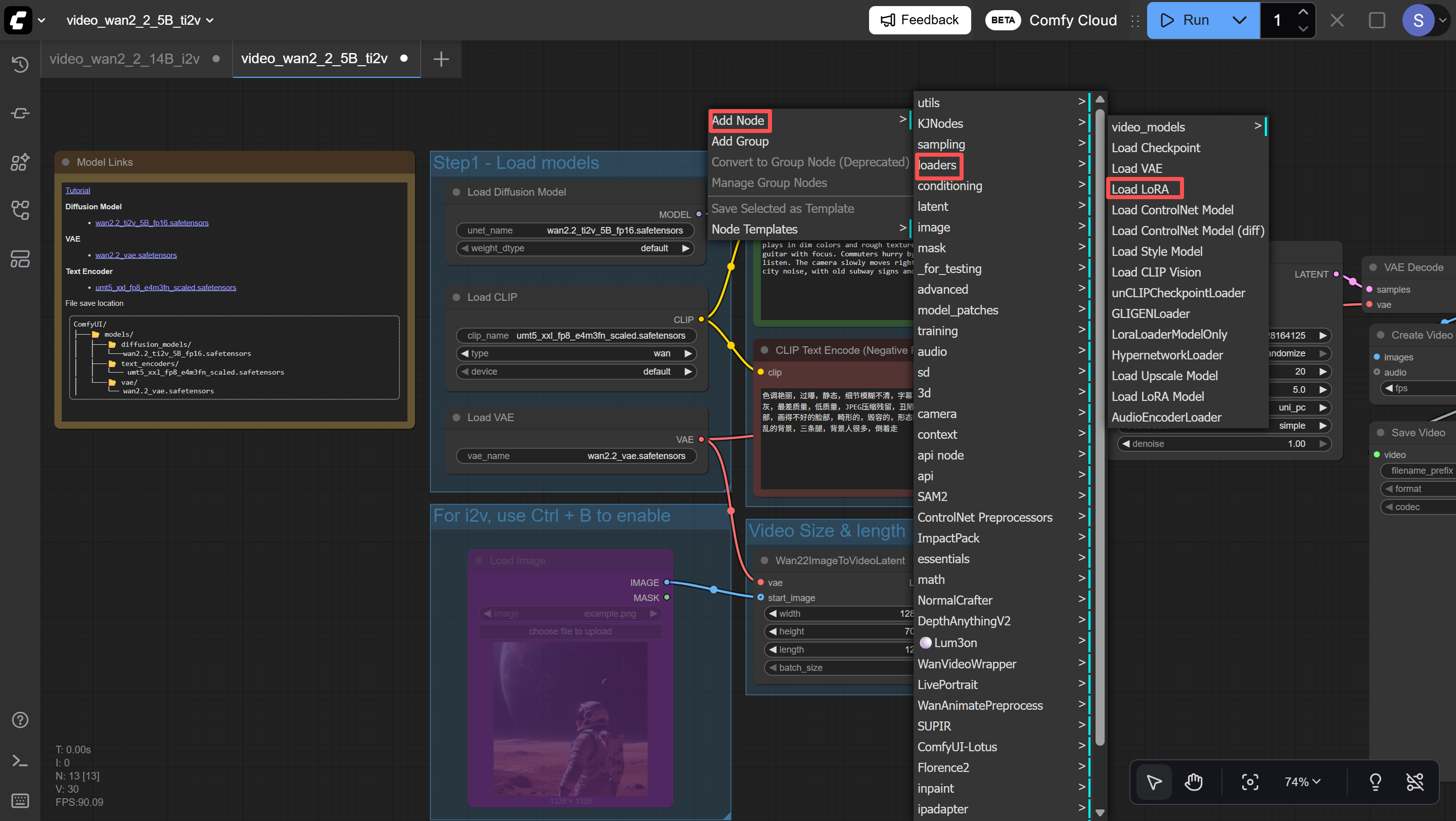
2. Add a LoRA Node
- Right-click on a blank area of the workflow canvas.
- Select Add Node → loaders → Load LoRA.
- The node will appear on the canvas.
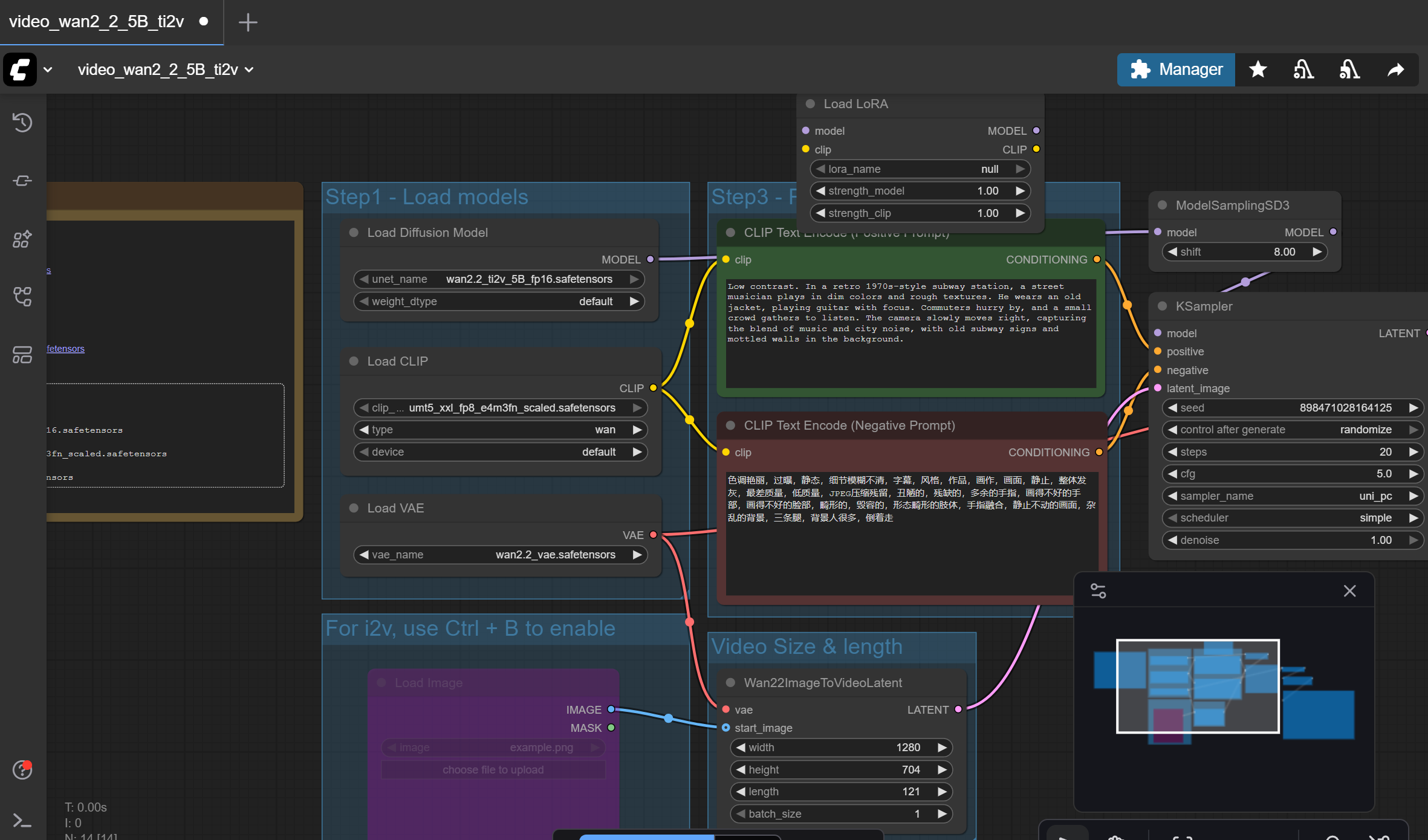
3. LoRA Node Interface
After adding, you’ll see a node with the following parameters:
| Parameter Name | Function |
| model | Input port: connects to the base model |
| lora_name | Dropdown menu: select the LoRA file |
| strength_model | Slider (0.0–1.0): controls LoRA’s influence on model weights |
| strength_clip | Slider (0.0–1.0): controls LoRA’s influence on the text encoder (not usually needed for Wan video models) |
| MODEL | Output port: outputs the model with LoRA applied |
Basic Connection Logic
Original workflow (without LoRA):
CheckpointLoader → MODEL → KSampler/Sampler
Workflow with LoRA:
CheckpointLoader → MODEL → Load LoRA → MODEL → KSampler/Sampler
4. Step-by-Step Setup for Wan Video Models
Locate your model loader node (usually Load Diffusion Model or WAN2_2_ModelLoader).
- Disconnect the existing connection:
- Find the MODEL output line from the loader.
- Click and delete the line (or Ctrl+click the connection point to disconnect).
- Connect the LoRA node:
- Drag a line from the loader’s MODEL output to the LoRA node’s model input.
- Drag another line from the LoRA node’s MODEL output to the next node (e.g., TEA Cache or KSampler).
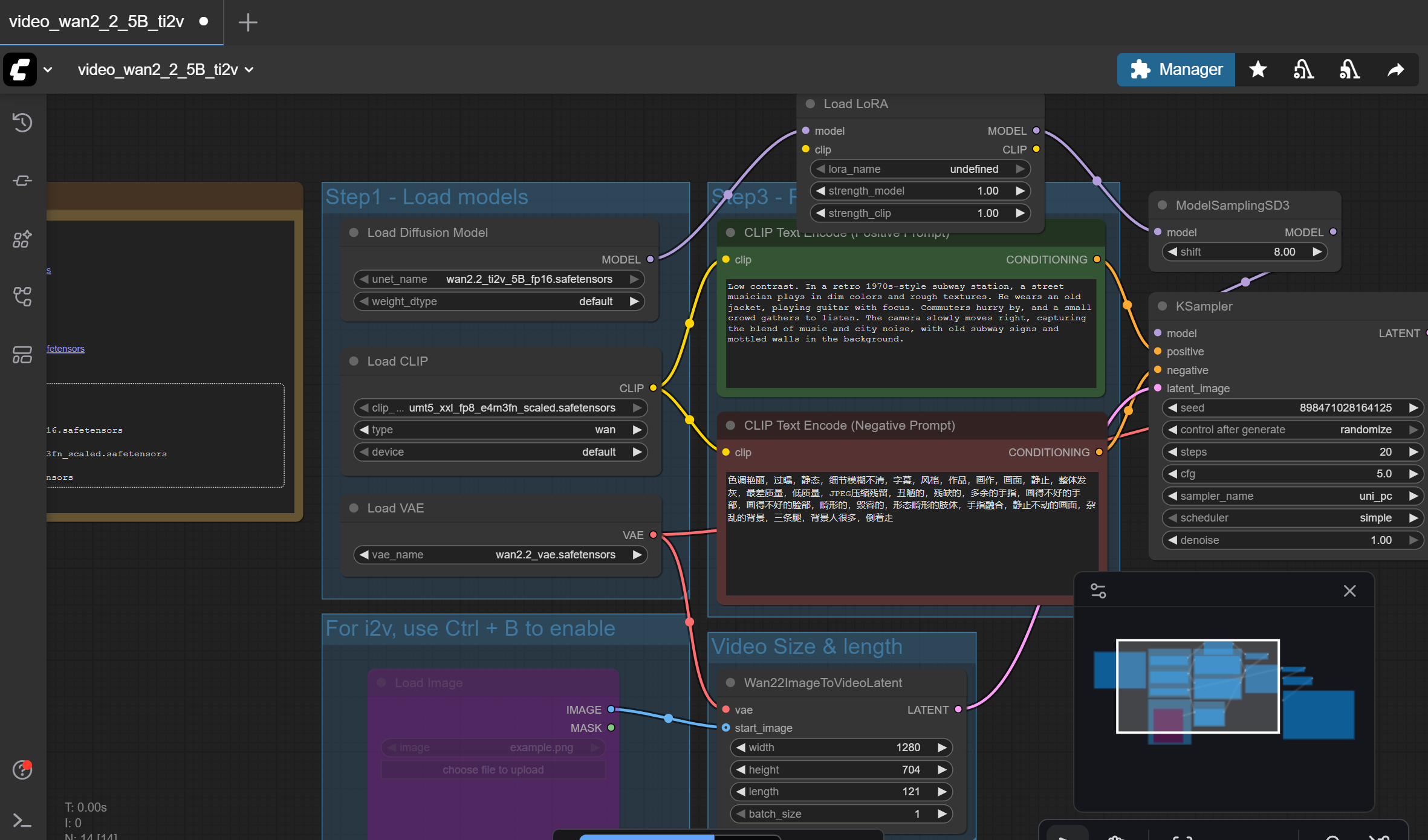
5. Select LoRA File
- In the Load LoRA node:
- Click the lora_name dropdown menu.
- Find the file you placed in the loras folder (e.g., F4C3SPL4SH_Cumshot.safetensors).
6. Adjust Strength (Weights)
Recommended ranges for strength_model:
| LoRA Type | Suggested Range | Notes |
| General NSFW LoRA | 0.8 – 1.2 | 1.0 works in most cases |
| Low Noise version | 0.8 – 1.0 | For I2V (image-to-video) |
| High Noise version | 1.0 – 3.0 | For T2V (text-to-video), may need higher weights |
| Auxiliary LoRA (e.g. anatomy details) | 0.8 – 1.0 | Lower weight when combined with main LoRA |
Practical tips:
- Start testing at 1.0.
- If the LoRA effect is too weak, gradually increase to 1.5 or 2.0.
- If the effect is too strong (distorted visuals, overpowering style), lower the value.
7. Add Trigger Words
Many LoRA models require specific trigger words to activate their effects.
How to use:
- On Civitai’s LoRA page, check for “Trigger Words” or “Activation Text.”
- Examples:
- f4c3spl4sh (F4C3SPL4SH LoRA)
- NSF35GG (NSFW nude group girls LoRA)
- POV missionary sex (POV Missionary LoRA)
- In your CLIPTextEncode or Text node (prompt input box), add the trigger words:
f4c3spl4sh, 1girl, close-up, facial, POV angle, realistic lighting
Tip: Place the trigger word at the beginning of the prompt, followed by detailed descriptions.
Features of Wan AI on ComfyUI with LoRA
NSFW Wan AI Videos (9.5/10)
Civitai hosts a vast LoRA library, allowing you to batch-generate AI videos in different themes and styles. You can also combine multiple LoRA models to achieve more complex, blended effects.
Convenience (5/10)
The prerequisite is that you must download both the base Wan AI model and the LoRA files locally. ComfyUI Cloud does not support adding custom LoRA. Installation and configuration are fairly complicated, and errors are common.
Pricing (10/10)
Downloading and using LoRA is completely free.
(5) Using Third-Party Fine-Tuned NSFW Wan Services
Many people know that downloading and configuring ComfyUI themselves can be difficult, so some third-party platforms provide direct access to unfiltered NSFW Wan models for generating NSFW AI videos.
A typical example of such a site is: nsfwwan.video
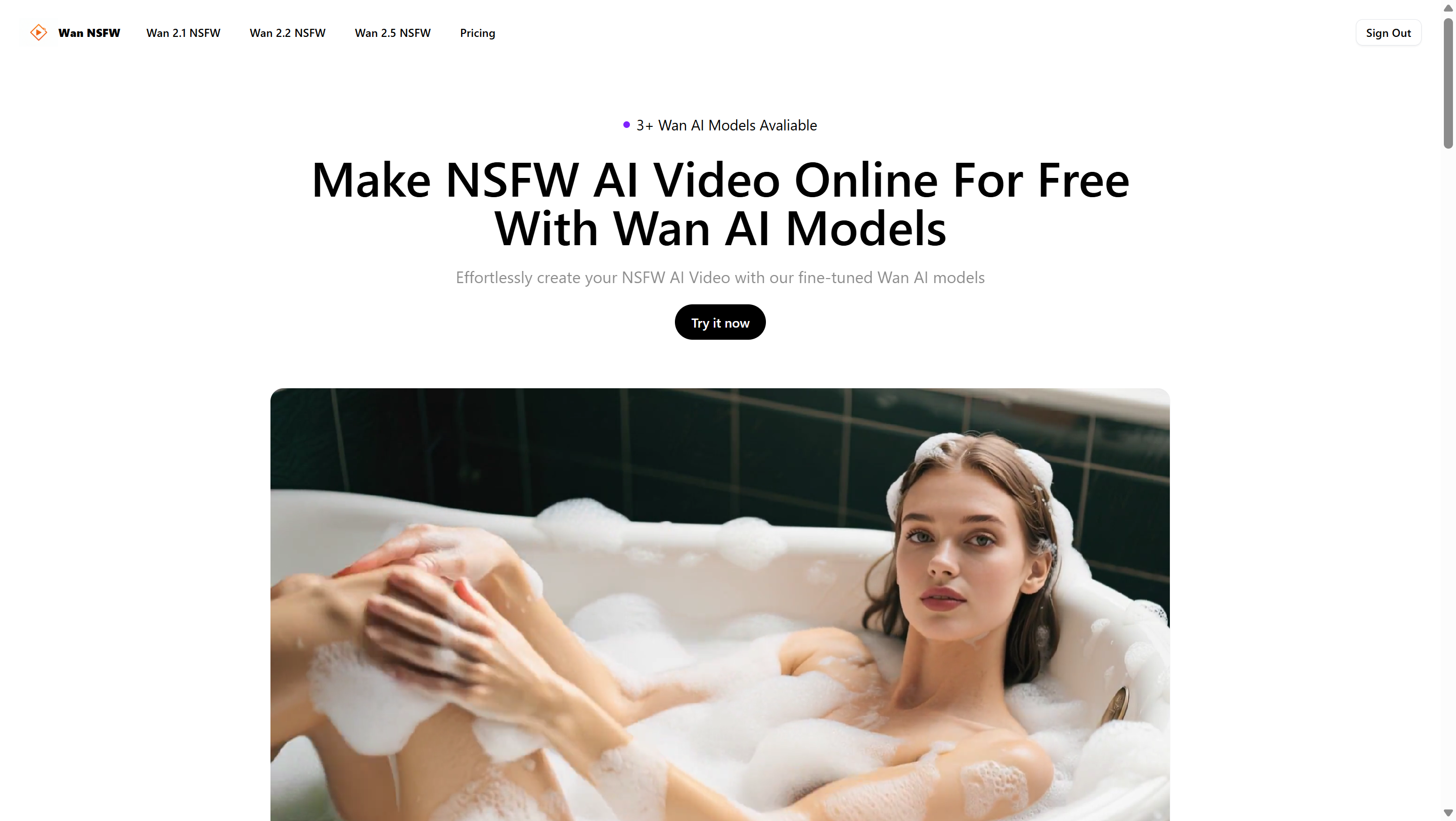
This website integrates Wan AI’s major versions (2.1, 2.2, 2.5) and fine-tunes them with NSFW datasets, allowing users to directly generate the AI videos they want.
Showcase:

Features of NSFW Wan AI
NSFW Wan AI Videos (9.5/10)
Delivers very high character similarity and can generate complex scenes, clothing, actions, and facial expressions. The output has high-definition image quality and smooth frame rates.
Convenience (8/10)
Users only need to register or log in to start using it—no downloads or installations required. However, generation often suffers from lag or delays.
Pricing (7/10)
New users get a limited number of free uses each day. After exceeding that, payment is required to continue.
FAQ
(1) Can Wan AI models generate AI videos?
Yes, but it depends on the situation. The Wan AI official website or API can only generate borderline “sexy” videos. To create AI videos, you need to download Wan AI models via ComfyUI, but even then they can only produce light nudity (without complex actions, expressions, clothing, or scenes).
(2) How can I use Wan AI models to generate AI videos for free?
To generate a large number of AI videos for free, you must add LoRA into the Wan AI model workflows. Different LoRA files act like different templates, enabling Wan AI models to produce various categories of AI videos.
(3) Is there a better alternative to NSFW Wan AI models?
Yes. Third-party services exist that provide fine-tuned NSFW Wan models, such as nsfwwan.video, which can be easier to use than setting up ComfyUI locally.
Final Conclusion
Wan AI Video can generate NSFW AI videos, but the content is relatively limited. Users can upload LoRA to customize and enrich the generated video content, though this requires high-end hardware and complex installation steps. Alternatively, users may choose third-party services like nsfwwan.video for a more straightforward experience.

Leave a Reply